DIY vs. Professional Photo Scanning: What’s the Real Cost?
23
April
2018
2:20
pm
DIY vs. Professional Photo Scanning: What’s the Real Cost? Written by:
Brandon Harris, Smooth Photo Scanning Services
This blog explains the real cost behind scanning your old photographs, comparing DIY vs. professional photo scanning, and helps you decide which method makes the most sense—financially and emotionally. Whether you’re trying to preserve family memories or finally tackle those boxes of old prints in the attic, this guide will give you clarity on both cost and convenience.
Why Digitizing Your Old Photos Matters
We all have them—boxes full of old prints tucked away in closets or basements, slowly gathering dust. Digitizing these memories is about more than just saving space—it’s about protecting the stories that live in those images. Over time, printed photos fade, crack, and deteriorate. They are also vulberable to unforeseen events such as floods and fires, or simply getting lost. Scanning old photos ensures that your precious moments live on, safely preserved and easily shared with loved ones.
But here’s the big question: Should you scan them yourself or hire a professional?
What It Really Takes to Scan Photos Yourself
Doing it yourself might seem like a budget-friendly option, but most people are surprised by the amount of work involved. Here’s a breakdown of what you’ll need and what you’ll face:
🧰 What You’ll Need:
Computer or Laptop
– If you already own one, great. If not, budget at least $600 for a basic setup.
Photo Scanner
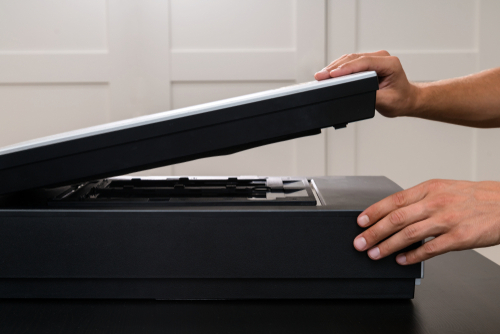
– A decent scanner starts at around $400. You’ll want be sure to choose one that’s compatible with your operating system and is capable of scanning at a resolution of at least 600 DPI.
Cleaning Supplies
– Dusty prints and smudged scanner glass mean poor results. Budget about $40 for microfiber cloths, compressed air, and cleaning pads.
Photo Editing Software
– Free options exist, but if you want professional-level results you’ll want to invest in a premium software such as Corel PaintShop Pro ($79.99), ACDSee Photo Studio Ultimate ($84.99), or Photoshop ($263.88/year).
⏱️ What You’re Signing Up For (Time Investment):
Sorting 1,000 Photos – Easily 10+ hours
Organizing into folders – Add another 2 hours
Scanning on a flatbed – Around 20–30 hours for 1,000 photos
Cropping, rotating, and enhancing – Expect another 20 hours if you’re thorough
That’s up to 50–60 hours and around $1,200 when all is said and done.
What About Professional Photo Scanning Services?
Now, imagine handing off your entire photo project to someone else—someone with high-end equipment, expert-level software, and a clean, controlled environment. That’s the appeal of a professional photo scanning service.
You send them your photos, they digitize and enhance them, and send back clean, crisp digital files. Done. No dust. No time suck. No learning curve.
This route is especially worth considering if your collection includes fragile photos, tricky sizes, or thousands of prints.
📊 Photo Scanning Cost Comparison: DIY vs. Professional
Item / Factor
DIY Scanning
Professional Scanning
Equipment Cost
~$1,200 (setup & software)
$0 (included in service)
Time Required (1,000 photos)
50–60 hours
0–1 hour (just prep & send)
Image Quality
Varies with tools & skills
High, consistent quality
Organization & File Naming
Manual effort
Included (or optional add-on)
Risk of Damage or Errors
High
Very low
Price per Photo
~$1.00 per photo total
$0.35–$0.60/photo (avg)¹
Source: Smooth Photo Scanning internal data + competitive pricing from ScanCafe, ScanDigital & LegacyBox
How Much Does It Cost to Scan Photos?
This is one of the most common questions people ask—how much does it cost to scan photos? It depends on:
How many photos you have
Whether you DIY or hire a pro
The level of quality you’re after
If you do it yourself, expect to spend around $1 per photo, factoring in equipment and your time. Professional scanning services, on the other hand, average between $0.35 and $0.60 per photo, depending on quantity and any special requests.
Why More People Are Choosing Professional Services
When it comes down to it, most people would rather spend a weekend looking at their old memories—not hunched over a scanner, cleaning dust specks and adjusting colors.
A service like Smooth Photo Scanning gives you peace of mind and professional results without the time investment. We handle your photos with care, scan at high resolution, clean and enhance them, and return everything in an organized digital format.
It’s not just about convenience. It’s about preserving your family legacy the right way.
Every format, handled by hand
Prints, albums, slides, negatives and tapes – scanned and transferred in-house by our team in Lodi, NJ.
Is it cheaper to scan photos yourself or hire a service?
At first glance, DIY looks cheaper. But when you add up the cost of scanners, supplies, and 50+ hours of your time, a professional photo scanning service is usually the smarter investment.
How much does photo scanning usually cost per photo?
Professional scanning ranges from $0.35 to $0.60 per photo depending on the service provider and the number of photos.
How long does it take to scan 1,000 photos yourself?
Expect to spend around 40–60 hours between organizing, scanning, and editing if you’re using a flatbed scanner.
What’s the best affordable photo digitizing option?
Look for companies offering volume discounts. Smooth Photo Scanning, for example, offers bundle deals for large orders and free two-wayshipping.
Is professional photo scanning worth it for a small batch of photos?
Yes, especially if quality matters to you. Even for 200–300 photos, it saves time and delivers better results than most DIY attempts.
Your wedding album is proof of one of the happiest days of your life, and it deserves better than a dusty shelf or a damp box in the basement. If you...
 5.0★ from 201 Google reviews