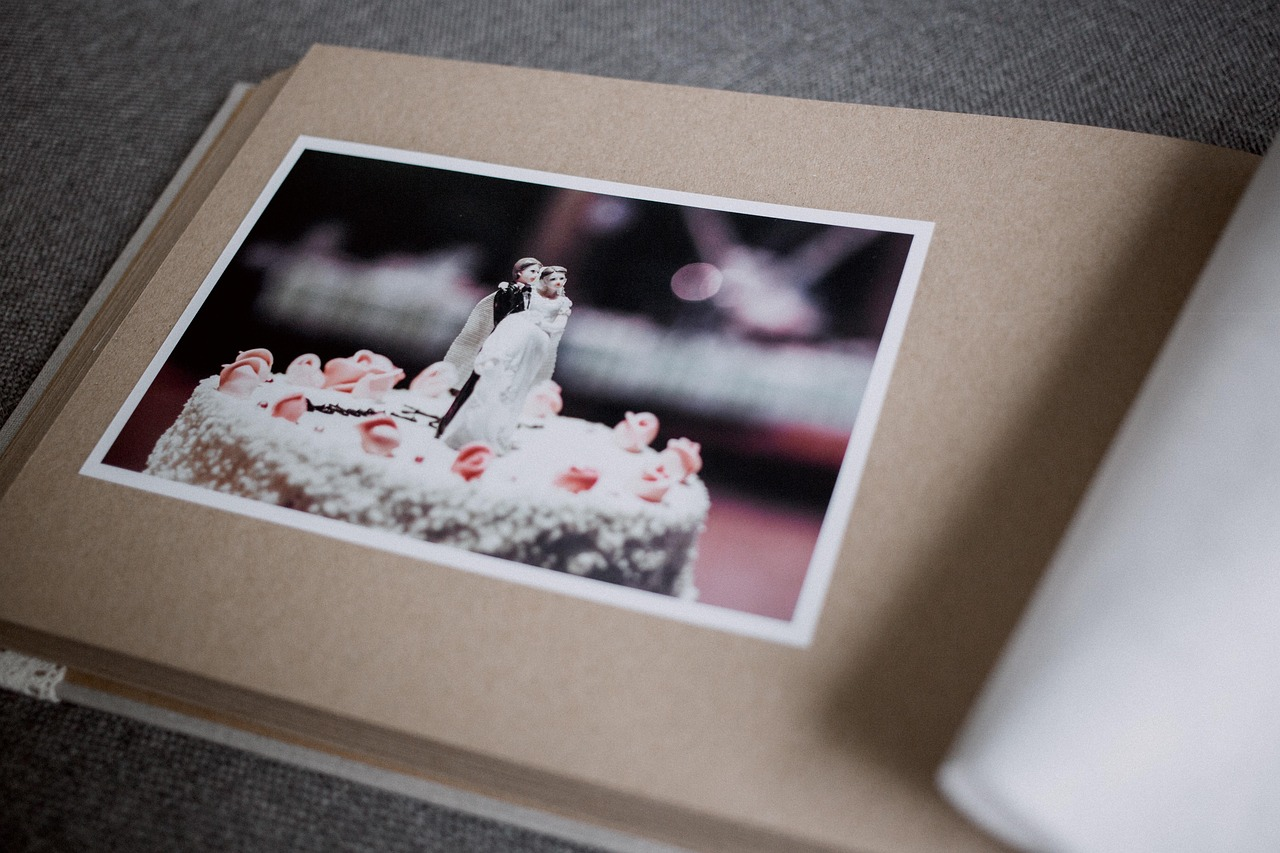
Your wedding album is proof of one of the happiest days of your life, and it deserves better than a dusty shelf or a damp box in the basement. If you have been putting off scanning your big day, now is a good time to start.
Heat, humidity, light, and the materials albums were made with all work against your photos, and once the damage sets in, it cannot be undone. That is why so many families turn to a wedding photo scanning service before it is too late.
Working with professional photo scanning services like Smooth Photo Scanning means your fragile photos get handled by people who do this every day, not scanned on a home printer that can scratch or crease the pages.
Let's walk through how to digitize wedding photos safely and preserve bridal portraits digitally, no matter what decade they came from.
Why Wedding Albums Deteriorate Over Time
Most wedding albums from the 1960s through the 1990s used magnetic albums, with a sticky adhesive layer covered by a thin plastic sheet. Over time, the adhesive turns yellow, becomes brittle, and bonds itself to the photo paper. Pulling a photo off a magnetic page can tear the image or peel away the emulsion.
Acid damage is another culprit. Cheap album paper, mounting corners, and some glues contain acids that eat into the photo surface over time, showing up as brown spots, faded colors, or a yellowish tint. Humidity and light cause their own problems too, from sticking and warping to mold and fast-fading colors.
None of this is reversible once it happens. That is why people who want to preserve bridal portraits digitally usually cannot afford to wait. The sooner you scan old wedding album pages, the more detail you save before it is gone for good.
Decade-by-Decade: Scanning Challenges From the 1950s to the 2000s
Every decade of wedding photography brought its own print format, and knowing what you are working with makes it much easier to scan old wedding album pages correctly.
1. 1950s and 1960s weddings
Usually small black and white or early color prints with a glossy finish. The emulsion is thin, scratches easily, and color prints often carry a strong orange or red shift from dye fading.
2. 1970s weddings
Big, square prints with a white border, often mounted in magnetic albums with that stubborn adhesive. Many 1970s wedding photos also carry a greenish or magenta cast from the film stock used at the time.
3. 1980s weddings
Glossy 4×6 prints, disc film, and the first wave of studio proof books. Flash photography often created harsh highlights that need careful color correction during scanning.
4. 1990s weddings
Panoramic prints, matte finish photos, and the earliest APS film cartridges. Studios also handed out large proof sheets with dozens of tiny contact prints, which take patience to scan one by one.
5. 2000s weddings
Early digital cameras, disposable cameras on guest tables, and printed 4×6 drugstore photos. Even though some started as digital files, the only surviving copy is often a faded print, so you still need to digitize wedding photos from this era too.
No matter which decade your album is from, a wedding photo scanning service that has handled thousands of albums will know how to treat each format.
Professional Handling for Leather-Bound, Silk-Covered, and Oversized Albums
Older wedding albums are not always easy to scan at home. Leather-bound albums are often too thick to open flat without cracking the spine. Silk-covered albums can snag or fray if handled roughly. Oversized studio albums, some over 14 by 17 inches, simply do not fit most home scanners.
This is where a professional wedding photo scanning service earns its keep. Technicians who scan old wedding album pages every day know:
- how to support a heavy binding so it opens just far enough,
- how to photograph pages that cannot be removed, and
- how to handle delicate silk or leather covers without leaving marks.
If your album is falling apart or the pages are stuck together, do not try to force it open yourself. A professional team can often separate stuck pages safely and digitize wedding photos that would otherwise be lost to a DIY attempt gone wrong.
Scanning Loose Bridal Portraits and Studio Proofs
Loose bridal portraits, engagement photos, and studio proof sheets often end up in envelopes, drawers, or shoeboxes, and they need just as much care as the album itself. A good scanning service will:
- Scan each portrait at a high enough resolution to enlarge it later without losing detail.
- Keep proof sheets in their original order so you can match names and dates.
- Handle fragile, curling edges without flattening them under heavy pressure.
- Separate black and white studio proofs from color prints for different scanning settings.
If you want to preserve bridal portraits digitally, this is often the easiest part of the project, since loose photos do not have sticky pages to fight with. Large formal bridal portraits meant for framing deserve their own high-resolution scan so the detail in the lace and veil is not lost.
Color Correction for Yellowed or Faded Wedding Prints
Almost every wedding photo scanning service runs into the same problem: color shift. Old prints fade because the dyes in photo paper break down over time, usually turning everything orange, yellow, or pink.
A good scan does more than capture the image as it looks today. Color correction can pull original skin tones out from under a yellow cast, restore wedding dresses that have faded to cream or tan, balance photos overexposed by old flashes, and bring back detail in tuxedos that have gone muddy and flat.
Whether you scan old wedding album pages or loose prints, color correction is often the biggest improvement you will see.
For photos with torn corners, water stains, or mold spots, you may also want photo restoration and retouching to repair rips, fix faded colors, and remove stains so the photo looks closer to how it did on your wedding day.
Creating a Digital Wedding Album or Anniversary Slideshow
Once your photos are scanned, most people organize the files into a new digital wedding album, sorted by event: ceremony, reception, portraits, and candid shots from guests. It is also a natural point to preserve bridal portraits digitally alongside the rest of your files, all in one place.
Many couples also use their scanned photos for an anniversary slideshow, especially around a milestone year like a 25th or 50th anniversary.
Pairing old and new photos with music is a meaningful way to celebrate, and it is a project many people hand off rather than build. If you want help, creating a custom photo slideshow can turn hours of work into something you just enjoy watching.
Either way, once you digitize wedding photos, the files are easy to back up, share with family across the country, and turn into something new.
Preserve Your Wedding Memories With Professional Scanning
Your wedding album only gets more fragile with time, so there is no real benefit to waiting. Whether you need to scan old wedding album pages that are falling apart, convert loose bridal portraits, or finally digitize wedding photos sitting in a closet for decades, a trusted wedding photo scanning service can handle the whole job safely.
Weddings are far from the only occasion worth this kind of care. If you want to digitize your most important life events, start with your wedding album and work outward to births, reunions, and anniversaries. Reach out today and give your wedding memories the care they deserve.