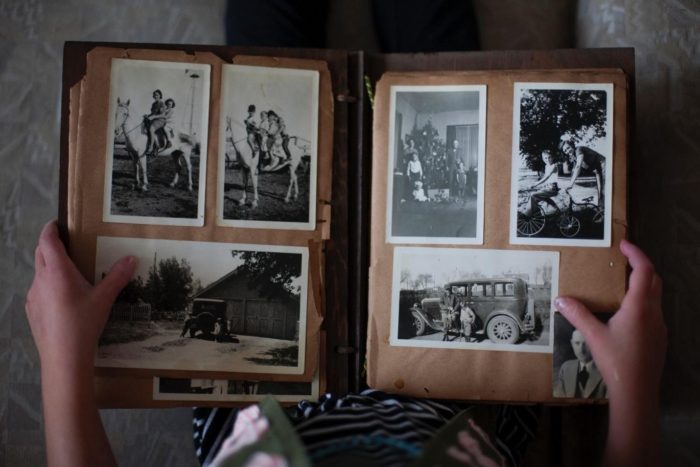
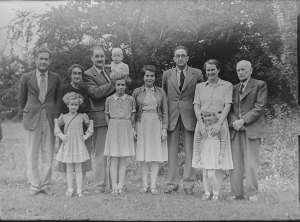
If you have a collection of old photographs, you’ve probably noticed that they aren’t looking as sharp as they did a couple of decades ago. The truth is, old photographs are quite susceptible to degradation and are prone to fade over time. Water, fire, ripping, tears, stains, and more also further damage printed photographs. Luckily, with the help of photo restoration services, these effects can be reduced or reversed altogether.
Why Do Photographs Deteriorate Over Time?
Photographs don’t just lose their charm overnight. It’s a slow process influenced by both environmental and material factors. The ink, paper, and chemicals used in developing film prints aren’t built to withstand decades of exposure. Sunlight, humidity, and improper storage can all accelerate fading and discoloration.
Physical damage such as scratches, tears, or mold growth often occurs when photos are handled frequently or stored in non-archival environments like damp basements or attics. Over time, these imperfections build up, leaving cherished memories barely recognizable.
Another silent culprit is chemical breakdown. The emulsion layer, which is the thin film that holds the image, can crack, peel, or yellow due to oxidation or acidity in the paper. Even the glue used in old photo albums can leach chemicals that gradually ruin the print.
That’s where photography restoration becomes invaluable. It not only stops the progression of damage but also brings old memories back to life, often with more clarity and vibrancy than the original prints.
What is Photo Restoration?
Photo restoration uses digital tools to repair and enhance old or damaged pictures. It’s one of the best ways to restore faded photos and preserve your visual history in digital format.
Although photo restoration has existed for a long time, it has recently become much more accessible to the general public with the development of photo editing tools like Adobe Photoshop and consumer-grade scanners. Regular people can now try their hand at restoring photographs and returning them to their original condition.
However, most people can afford the equipment and tools necessary for photo restoration, but having them does not guarantee success.
Learning to use the software and restore damaged or deteriorated photographs is a long and complicated process. It can require years of practice to truly master. That’s why many people instead opt for professional photo restoration services that can provide much better results.
But what does the process look like, exactly?
Let’s explore below.
How Does Professional Photo Restoration Work?
Photo restoration may be a complicated process, but it can be broken down into actionable steps that will need to be executed sequentially.
First off, you’ll need to scan the photos that you want digitally restore.
Ensure using a dependable scanner to produce high-quality images, which will be crucial to editing the photos using the software. Scanning the pictures at 600 DPI or higher is ideal.
After transferring the photos onto your computer, you will need to use a few different techniques to address various issues.
First, you’ll need to look at the color cast, which often becomes distorted because of aging and the scanning process. You can use a white balance dropper tool to make the colors more natural.
Another important restoration technique is restoring contrast and dynamic range by using the levels tool in Photoshop, which will help you make the photograph more consistent and natural.
You may also want to fix rips and tears using a cloning and healing brush. It allows selecting the damaged area and using surrounding colors to smoothen the irregularities.
However, when considering these techniques, keep in mind that knowing them in theory and actually executing them in practice are two different things, so you might be better off opting for a professional picture scanning service that can ensure that your photos are scanned and restored at the highest possible quality.
What Is The Step-by-Step Process of Restoring Old Photos
- Assessment: Professionals start by evaluating the condition of your photos, like looking for tears, discoloration, fading, and stains. When you understand the extent of the damage it will help determine the best restoration approach.
- Scanning and Digitization: Old photos are carefully scanned to create a high-resolution digital copy. This digital image becomes the foundation for restoring a picture to its former beauty.
- Digital Cleanup: Dust, scratches, discoloration, and specks are digitally removed using cloning and healing tools. This step ensures that the surface of the image looks clean and uniform.
- Color and Tone Correction: The colors are adjusted for vibrancy and natural balance. This may involve fixing washed-out hues or bringing warmth back to skin tones.
-
Reconstruction: Tears, missing corners, scratches, and blemishes are repaired digitally using advanced software techniques. This is the stage where specialists
repair photos
seamlessly without altering the integrity of the original image.
- Finishing Touches: Once the restoration is complete, professionals fine-tune the lighting, shadows, and texture to make the image look cohesive and lifelike.
- Output and Storage: Finally, the restored photograph is delivered in your desired format, ready to be preserved for future generations.
What Are The Common Techniques Used in Photo Restoration
1. Color Correction and White Balance
Old photos often suffer from yellowing, fading, or color shifts caused by light exposure or chemical aging. Professionals use color balance tools to neutralize these tints and restore the picture’s original tone. Photography restoration experts rely on calibrated monitors to ensure color accuracy, which is something that’s hard to achieve on consumer-grade screens.
2. Contrast and Dynamic Range Adjustment
When prints fade, the image loses depth. Adjusting levels and curves helps restore shadows and highlights, recreating the photo’s original contrast and making details pop. Can photos be restored to their full depth and tone? Absolutely, when done correctly, it often reveals details that were barely visible in the original print.
3. Repairing Tears, Rips, and Stains
Physical damage like scratches, folds, or water stains requires meticulous work. Tools like the Healing Brush and Clone Stamp in Photoshop are used to fill in missing pixels by sampling nearby textures.
Professionals know how to repair photos without creating artificial patterns, ensuring the restored image looks natural and seamless.
Digital Tools vs. Professional Services: Which Should You Choose?
Today, anyone with some knowledge of Photoshop can attempt photography restoration. But professional restorers bring experience and skill. DIY restoration may work for minimal touch-ups, but extensive damage requires precision. Over-editing can flatten details or distort facial features. Professionals understand how to balance correction and preservation, maintaining the authenticity of the photo.
So, while it’s tempting to try to repair damaged pictures on your own, working with experts ensures better results. Services like Smooth Photo Scanning use state-of-the-art scanners and restoration tools to bring your images back to life safely and accurately.
What Are Some Tips to Preserve Your Photographs After Restoration
Restoring old photos makes sure they stay beautiful for decades to come. Here are a few pro tips:
- Store originals properly: Keep them in acid-free sleeves or boxes in a cool, dark, and dry environment.
- Handle with care: Always hold prints by the edges to avoid oils from your fingers damaging the surface.
- Digitize everything: Scanning your photos ensures you always have a digital backup, no matter what happens to the physical copy.
- Avoid adhesives: Skip tape and glue and use photo-safe corners or archival mounts.
- Keep multiple copies: Save your digital versions both on cloud storage and an external hard drive.
How Long Does Photo Restoration Take?
The time it takes for restoring a picture depends on its condition and the extent of the damage. Minor fixes like dust removal and light color correction can take a few hours. However, severely damaged photos with tears, stains, or missing portions may take several days.
Professional photo restoration services usually provide an estimate after reviewing your images. Complex restorations that require reconstruction or colorization take longer but yield exceptional results. The goal isn’t speed-it’s accuracy, care, and artistry.
Closing Thoughts
Photography restoration is a way of preserving memories that might otherwise be lost to time.
So the next time you wonder, “Can photos be restored to their original beauty?”, the answer is yes but with the help of right tools and expertise.
Photo restoration gives old memories new life. Whether you’re repairing faded prints or converting film photos to digital, working with a professional service like Smooth Photo Scanning ensures every image is preserved with care, clarity, and color accuracy.