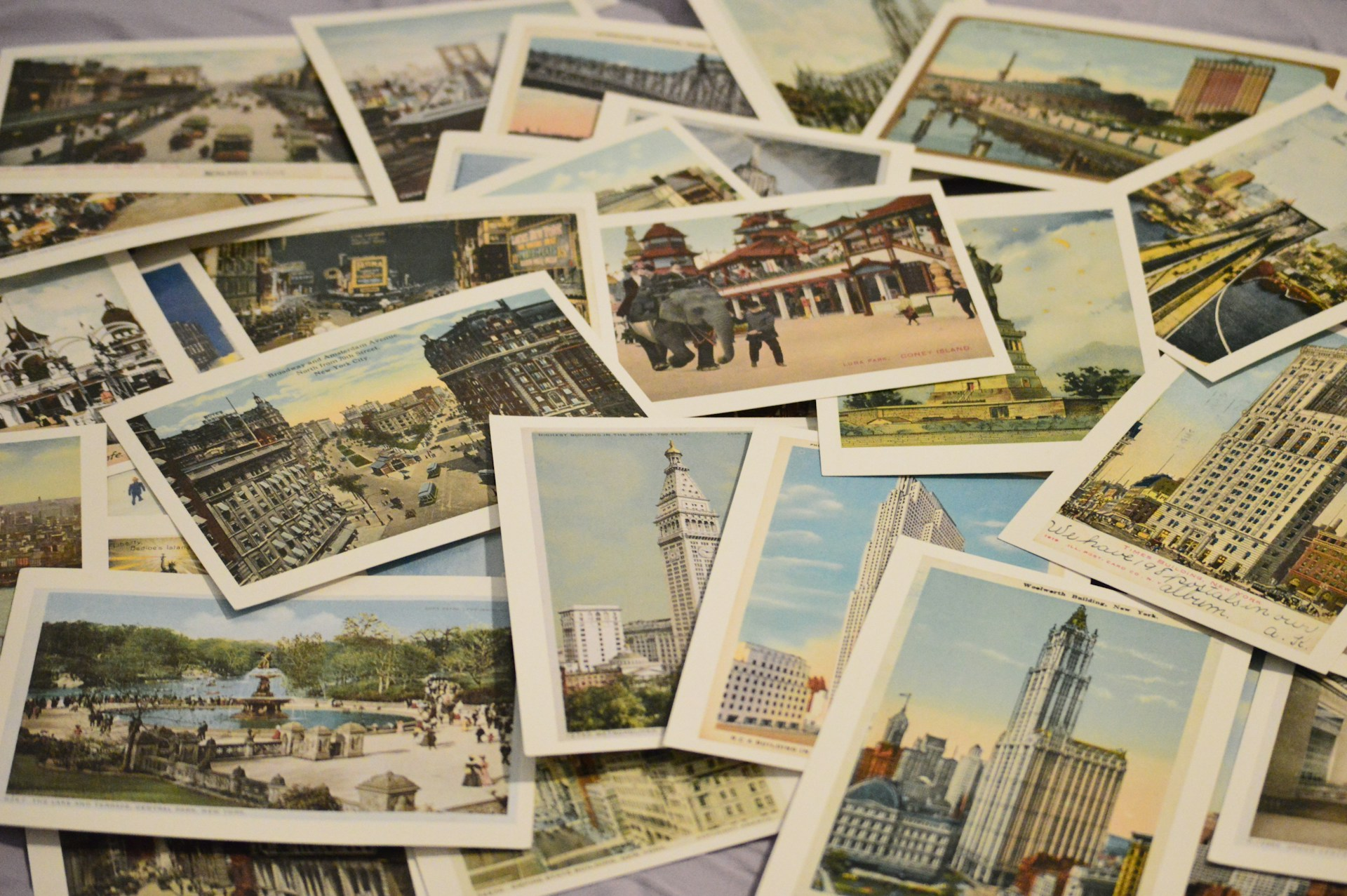
Old postcards, greeting cards, and handwritten letters deserve the best way to protect them is to scan them carefully, organize them well, and store high-quality digital copies. That way, you can enjoy them for years without exposing the originals to more wear and tear.
Unlike regular photographs, these paper keepsakes often have handwritten notes, textured paper, delicate folds, embossed designs, and even pop-up elements. They need a slightly different approach if you want every detail to survive the digitization process.
If you want long-lasting results, investing in paper scanning and digitization can help preserve these personal memories while protecting the fragile originals from handling.
The right scanning method makes all the difference, regardless of whether you want to digitize old postcards, create a family archive, or share treasured letters with relatives across the country.
Why Postcards and Greeting Cards Need Different Scanning Treatment Than Photos?
Paper keepsakes contain much more than pictures. A family photograph usually has one printed image.
A postcard or greeting card may include handwritten messages, postal stamps, decorative borders, textured paper, embossed patterns, faded ink, or unique folds. Each of these details tells part of the story. Here is why they require extra care:
- Handwritten ink can fade if scanned at a low resolution.
- Pencil notes are often light and need careful color adjustment.
- Postal marks and stamps may become difficult to read if the scan is compressed.
- Folded cards can cast shadows if they are not positioned correctly.
- Thin paper can allow writing from the opposite side to show through.
When you scan vintage postcards, always capture both the front and back. The image on the front tells one story, but the handwritten note, address, and postmark often provide valuable family history.
Handling Textured, Embossed, and Pop-up Cards
Many greeting cards are more complex than flat sheets of paper. Some include glitter, raised lettering, foil accents, ribbon, lace, layered decorations, or pop-up designs.
These features deserve special attention because they create depth that standard scanning can flatten.
Before scanning, follow these steps
- Remove dust gently with a soft microfiber cloth.
- Avoid pressing delicate cards flat if they resist opening.
- Keep folded cards partially open only if doing so prevents stress on the paper.
- Never remove glued decorations, ribbons, or attached keepsakes.
For embossed or textured cards
Use a flatbed scanner instead of a sheet-fed scanner whenever possible.
A flatbed scanner helps protect fragile materials because the paper stays still during scanning. It also captures raised textures more accurately.
If a card contains metallic foil or glossy finishes, experiment with scanner settings to reduce glare while keeping the decorative details visible.
For pop-up cards
Pop-up cards usually cannot be flattened safely. Instead:
- Scan each panel separately.
- Photograph the fully opened card to document its three-dimensional design.
- Save both the scans and photographs together in the same folder.
- Include notes explaining how the card opens.
This combination creates a more complete digital record than a single flat scan.
Scanning Handwritten Letters: Capturing Ink Detail Without Bleed-Through
The goal is to make every word readable while preserving the original appearance of the paper.
Older letters often contain fountain pen ink, pencil writing, fading, stains, and thin paper. These characteristics make scanning more challenging than scanning modern documents.
To preserve old letters digitally, use settings that prioritize detail over file size. Keep these tips in mind:
- Scan both sides of every letter, even if one side appears blank.
- Choose color scanning instead of black and white because aged paper often contains subtle tones.
- Place a black backing sheet behind thin pages to reduce bleed-through from writing on the reverse side.
- Avoid aggressive sharpening that can make handwriting appear unnatural.
- Save an untouched master copy before making edited versions.
If your collection contains long family correspondence, include the envelopes whenever possible. Postmarks, addresses, return labels, and stamps often provide historical context that the letters alone cannot.
Professional scanning also helps capture fine handwriting consistently across large collections, especially when dealing with delicate paper that should not be repeatedly handled. Many families choose professional document scanning services when preserving heirloom correspondence because experienced technicians know how to work with fragile originals.
Resolution Recommendations for Text-heavy vs. Image-heavy Items
Choosing the right resolution is one of the easiest ways to improve your digital archive. A simple rule works well.
Use higher resolution when preserving written details, and moderate resolution for standard printed artwork. Here are practical recommendations:
| Item |
Recommended Resolution |
| Handwritten letters |
400 to 600 DPI |
| Vintage postcards with photos |
600 DPI |
| Greeting cards with artwork |
300 to 600 DPI |
| Cards with fine illustrations or embossed details |
600 DPI or higher |
| Documents intended for printing later |
At least 300 DPI |
Higher resolutions produce larger files, but they also preserve small details that cannot be recovered later.
If you plan to enlarge a postcard, restore faded handwriting, or archive valuable family documents for future generations, scanning at a higher resolution is usually the better choice.
Organizing Digitized Correspondence Chronologically with Metadata
A folder full of scanned files is a great start, but an organized collection is much easier to enjoy and share.
The easiest way to stay organized is to sort your files as you scan them instead of waiting until later. Use a consistent naming system like this:
- 1948_Grandma_Birthday_Card_Front
- 1948_Grandma_Birthday_Card_Back
- 1962_Postcard_NewYork_Front
- 1962_Postcard_Back_Message
- 1975_Letter_From_Dad_Page1
Once your files are named, add metadata whenever possible. Metadata is information stored with the file that makes searching much easier. Helpful metadata includes:
- Date the item was written or mailed
- Sender’s name
- Recipient’s name
- Location mentioned in the correspondence
- Occasions such as birthdays, anniversaries, holidays, graduation, or weddings
- Family names that appear in the message
- Short descriptions using phrases like adding captions and context to your scanned items
These small details make it much easier for future generations to understand why each keepsake matters.
If your collection includes hundreds of pages, consider creating folders by decade, family member, or special event. This structure keeps your archive easy to browse without feeling overwhelming.
Creating a Digital Scrapbook or PDF Collection from Cards and Letters
Once everything is scanned, bring the collection together into something people will actually enjoy reading.
A digital scrapbook lets you preserve the original order while making it easy to share with relatives. You can organize your collection in several ways:
- Create one PDF for each family member.
- Build a digital album for weddings, birthdays, vacations, military service, or holidays.
- Pair postcards with photographs from the same trip.
- Place greeting cards in chronological order to show changing handwriting and traditions.
- Include envelopes alongside letters to preserve postmarks and addresses.
If you’re working with correspondence that contains mostly text, converting paper documents to digital PDF files can make the collection easier to browse while keeping multiple pages together. Individual JPEG files work well for postcards and cards that feature artwork or decorative designs.
Remember to keep two versions of every scan:
- A high-resolution master file for long-term preservation.
- A smaller copy for emailing, printing, or sharing online.
Backing up your files in more than one location also helps protect your family’s history from accidental loss.
We Scan More Than Just Photos
Many people think photo scanning services only handle printed photographs. In reality, family history often lives in handwritten letters, postcards, greeting cards, certificates, newspaper clippings, recipes, children’s artwork, and other paper keepsakes.
At Smooth Photo Scanning, we carefully digitize a wide variety of treasured paper items while preserving the details that make each one unique.
Our team can help create high-quality digital copies that are easy to organize, protect, and share regardless of whether your collection contains a handful of family letters or several boxes of correspondence collected over generations.