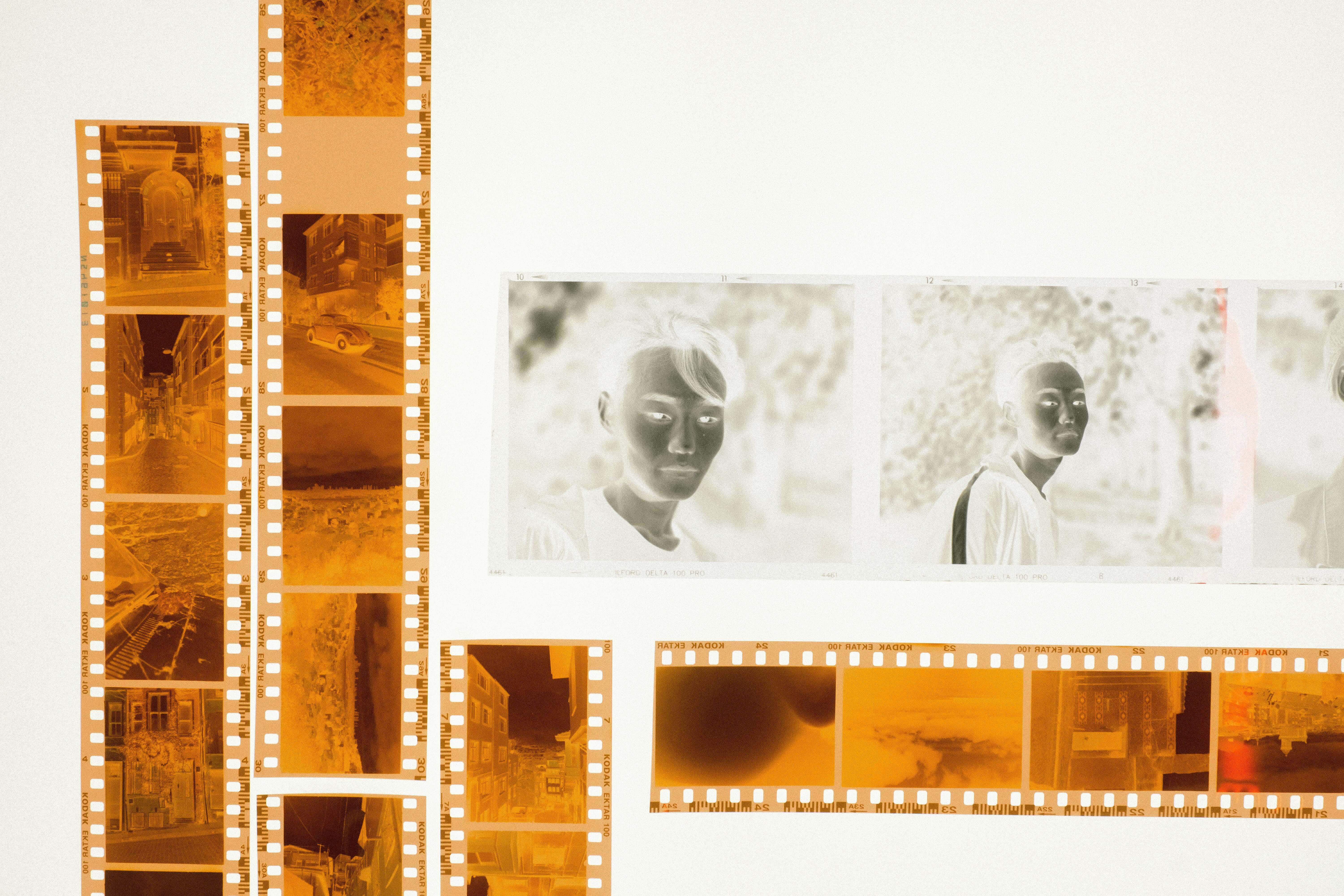
Photo Slides vs. Photo Negatives: Which Should You Digitize First?
09
April
2026
7:25
am
Photo Slides vs. Photo Negatives: Which Should You Digitize First? Written by:
Brandon Harris, Smooth Photo Scanning Services
You opened a box in the attic and found a stack of photo slides from a family reunion in 1978 and a sleeve of photo negatives from your kid’s first birthday in 1991. Both are fragile. Both are irreplaceable. And you have a limited budget.
Photo slides vs negatives, which to digitize first?
This is one of the most common dilemmas we hear from customers. Today, we break it down clearly, so you can make an informed decision about where to put your money first.
What Are Photo Slides and What Are Photo Negatives?
Before diving into the slide negatives comparison, it helps to understand what you are actually dealing with. These two formats look different, are stored differently, and were used in very different contexts.
Photo Slides
Photo slides (also called transparencies or mounted slides) are small pieces of positive film mounted inside a cardboard or plastic frame. Many professionals recommend starting with a slide scanning service for older collections.
The most popular format is the 35mm slide, which was designed to be loaded into a carousel and projected onto a wall or screen. Common slide formats include:
35mm slides, which have been the most widely used format for decades.
110 slides, which is a smaller, budget-friendly format from the 1970s.
126 and 127 slides are square-format variants popular in the mid-century era.
3D stereo slides are paired images meant for stereoscopic viewers.
Medium format slides are larger frames used for professional photography.
Photo Negatives
Photo negatives are strips of transparent film where the image appears in reverse tone. They were the raw source material used to print photographs in a darkroom or at a photo lab. Common negative formats include:
35mm negatives have been the standard for consumer cameras for over 50 years.
110 negatives come in a compact cartridge-based format.
126 format negatives are used in Kodak Instamatic and similar point-and-shoot cameras.
Medium and large format negatives are used for professional portraits and group photography.
Feature
Photo Slides
Photo Negatives
Image type
Positive (viewable directly)
Negative (reversed tones)
Viewing method
Projector or light box
Contact print or enlarger
Common era
1950s to 1990s
1940s to 2000s
Frame size
Mounted in cardboard/plastic
Loose strips or sleeves
Typical use
Presentations, family slideshows
Creating printed photographs
How does each format deteriorate over time?
This is where the prioritized scanning order decision gets urgent. Both formats degrade over time, but the mechanisms and speeds of deterioration differ significantly.
DID YOU KNOW?
Film deterioration is not always visible to the naked eye. Chemical breakdown can be well underway before you see any yellowing, fading, or vinegar smell.
How Photo Slides Deteriorate
Mounted slides face several decay threats at once:
Vinegar syndrome: acetate-based slides release acetic acid over time, causing a permanent chemical breakdown that cannot be reversed.
Mounting frame damage: cardboard mounts absorb moisture, warp, and can cause the film inside to buckle.
Cyan dye fading: the cyan layer in color slides is the least stable and fades noticeably in storage conditions above 70 degrees Fahrenheit.
Mold and fungal growth: Slides stored in basements, attics, or humid closets are especially vulnerable to biological damage.
Scratch accumulation: Every pass through a projector adds micro-scratches to the film surface.
How do photo negatives deteriorate?
Negatives are more stable than slides in some respects, but they are by no means permanent:
Silver mirroring: the silver halide layer can oxidize, creating a blueish sheen that obscures shadow detail.
Base shrinkage: film strips can curl, buckle, or become brittle, especially in fluctuating humidity.
Color shift: chromogenic (C-41) color negatives are subject to significant color fading over decades.
Redox blemishes: small orange or yellow spots caused by chemical reactions with impurities in storage materials.
Deterioration Factor
Photo Slides
Photo Negatives
Vinegar syndrome risk
High (acetate base common)
Moderate
Color fading speed
Faster (cyan layer unstable)
Slower (dye couplers are more stable)
Physical fragility
High (mounted frame warps)
Moderate (strips curl but flex)
Mold susceptibility
High (cardboard mounts absorb moisture)
Moderate
Average stable lifespan
25 to 50 years of uncontrolled storage
40 to 75 years of uncontrolled storage
Which Has Higher Image Quality Potential?
The slide vs negative quality debate is nuanced. Both formats can yield stunning digital images when scanned properly, but the starting point for each format is different.
Slide vs Negative Quality: The Technical View
Photo slides are projected images and were optimized for vivid, saturated color. The positive image on a slide is what the photographer intended you to see.
When scanned at high resolution (2000 to 4000 DPI), slides produce brilliant, film-grain-rich images with natural color depth.
Photo negatives carry a slightly wider exposure latitude than slides. This means negatives can capture a broader tonal range from bright highlights to deep shadows.
A well-exposed negative scanned at 2000 to 4000 DPI often produces more detail in the extreme tonal ranges than a slide shot under the same conditions.
Quality Factor
Photo Slides
Photo Negatives
Color saturation
Very high (vibrant, punchy)
Moderate to high (natural tones)
Tonal latitude
Narrower
Wider
Shadow/highlight detail
Good (may clip at extremes)
Excellent
Sharpness potential
Very high (small grain)
Very high (small grain)
Recommended scan DPI
2000 to 4000 DPI
2000 to 4000 DPI
Optimal print size (4000 DPI)
16 x 20 inches or larger
16 x 20 inches or larger
💡 Pro Tip
When evaluating slide vs negative quality for archival purposes, opt for a 4000 DPI scan on both formats. This gives you the maximum detail possible and the flexibility to print at professional sizes of 16 x 20 inches or larger.
Which Is Harder to Replace?
Replaceability is one of the most important factors when you are trying to prioritize scanning order for your photo collection.
Why Slides Are Harder to Replace
Most slides were one-of-a-kind originals. They were never duplicated, never printed, and often the only surviving record of an event.
There is typically no backup. If a slide is damaged, that specific image is gone forever. In many cases, the subjects in the photos are no longer alive, making the images impossible to recreate.
Additionally, viewing slides requires specialized equipment. Without a working projector or a professional scanning service, you cannot even assess what you have without investing in equipment or a professional service.
This makes slide negatives comparison especially important: slides are both harder to view and harder to digitize at home.
Why Negatives Are Slightly More Recoverable?
Many people who shot on film in the 1980s and 1990s also had prints made at the time. Those prints may still exist in photo albums, boxes, or the homes of family members.
If a negative is damaged or lost, the printed photograph may survive as a backup source. While scanning the print would yield lower quality than scanning the original negative, the image is not necessarily gone forever.
This is a key reason why many preservation professionals suggest you should digitize slides before negatives when forced to choose.
Decision Framework: 4 Questions to Determine Your Priority
Still unsure whether to digitize slides before negatives, or start with negatives? Work through these four questions to determine where you should invest first.
Question 1: Do Your Slides Show Any Visible Damage?
Look for yellowing, mold spots, a vinegar smell, or cardboard mounts that have warped or cracked. If you see any of these signs, your slides are in active deterioration. Start with slides immediately, as further delay will result in permanent image loss.
Question 2: Do Your Negatives Have Matching Prints?
If you still have printed photographs from the same sessions as your negatives, those prints serve as a partial safety net. In this case, the urgency to scan negatives is reduced slightly. However, do not delay indefinitely: prints also fade over time.
Question 3: Which Format Contains Events That Cannot Be Recreated?
Think about the subjects and events captured. Family members who are no longer living, events from before the digital era, and milestone moments with no photographic backup should be prioritized regardless of format.
Question 4: How Were Your Media Stored?
Media stored in damp basements, hot attics, or in poorly ventilated spaces has experienced accelerated deterioration. If your slides have been in a garage or basement for decades, they need immediate attention. If your negatives have been in a climate-controlled environment, they may have more time.
In the photo slides vs negatives, which to digitize first debate, the default recommendation remains: start with slides. But this framework helps you apply that recommendation to your specific collection.
What Professional Scanning Costs for Each Format?
Understanding the investment helps you plan your digitization project realistically. The ” Should I scan slides or negatives” question often comes down to budget, so here is what to expect from Smooth Photo Scanning.
Slide Scanning Service Pricing
Pricing is per slide and varies based on format and resolution. All slide scanning orders include Digital ICE correction, crop and rotate, color restoration, and a free DVD or download link.
SLIDE FORMAT
2000 DPI
3000 DPI
4000 DPI
35mm Slides & 110 Format Slides
$0.41 – $0.54
$0.47 – $0.62
$0.57 – $0.76
3D Stereo Slides, 126 & 127 Format
$0.59 – $0.78
$0.65 – $0.86
$0.74 – $0.98
Medium Format 120/220 Slides
$1.23 – $1.75
$1.58 – $2.25
$1.93 – $2.75
Negative Scanning Service Pricing
Pricing is per negative exposure and varies by format and resolution. Every negative scanning order includes Digital ICE correction, crop and rotate, color restoration, and a free DVD or download link.
NEGATIVE FORMAT
2000 DPI
3000 DPI
4000 DPI
35mm Negatives
$0.48 – $0.64
$0.54 – $0.72
$0.65 – $0.86
110 & 126 Format Negatives
$0.59 – $0.78
$0.65 – $0.86
$0.71 – $0.94
Medium Format – Over 2″ x 2″ up to 2.25″ x 3.75″
$1.31 – $1.75
$1.69 – $2.25
$2.25 – $3.00
Large Format – Over 2.25″ x 3.75″ up to 4″ x 5″
$2.06 – $2.75
$2.63 – $3.50
$3.19 – $4.25
Format
Resolution Options
What Is Included
Recommended For
35mm Slides
2000, 3000, or 4000 DPI
Digital ICE correction, crop, rotate, color restore, DVD or download
All personal and archival use
110 Slides
2000, 3000, or 4000 DPI
Digital ICE correction, crop, rotate, color restore, DVD or download
Consumer snapshots
126/127 Slides
2000, 3000, or 4000 DPI
Digital ICE correction, crop, rotate, color restore, DVD or download
Mid-century family photos
Medium Format Slides
2000, 3000, or 4000 DPI
Digital ICE correction, crop, rotate, color restore, DVD or download
Professional-quality archiving
35mm Negatives
2000, 3000, or 4000 DPI
Digital ICE correction, crop, rotate, color restore, DVD or download
All personal and archival use
110 Negatives
2000, 3000, or 4000 DPI
Digital ICE correction, crop, rotate, color restore, DVD or download
Compact camera snapshots
126 Negatives
2000, 3000, or 4000 DPI
Digital ICE correction, crop, rotate, color restore, DVD or download
Instamatic-era photos
Medium/Large Format Negatives
2000, 3000, or 4000 DPI
Digital ICE correction, crop, rotate, color restore, DVD or download
Portraits and group photography
Every order, for both slides and negatives, also includes the following at no extra cost:
Free DVD or downloadable link with every order.
Free shipping on orders over $250.
Free pickup for orders over $500 in the NYC Tri-State Area.
All scanning is performed in the USA with no offshore handling.
The Smart Move: Digitize Both at the Same Time to Save Money
The photo slides vs negatives question assumes you must choose one over the other. But in most cases, you do not have to. Digitizing both formats together in a single order is the most efficient and often the most economical approach.
Why Bundling Your Order Saves Time and Money
When you send slides and negatives together in a single order, several cost benefits apply:
Shipping costs are shared across the entire order rather than split across two separate shipments.
You qualify for free shipping and free pickup thresholds more easily with a larger combined order.
Processing time is consolidated, meaning you receive all of your digitized media at once instead of waiting for two separate orders.
You avoid the risk of further deterioration while one format sits waiting to be sent in a second order.
Get a Bundle Quote for Slides and Negatives
You opened that attic box for a reason. Those memories deserve to survive another generation. Whether you have a handful of carousels or decades worth of negatives, the right time to digitize is before further damage occurs.
The photo slides vs negatives debate does not have to be stressful. If your slides are older, show any signs of wear, or have been stored in less-than-ideal conditions, start there.
If your negatives are in poor shape and you have no matching prints, bump them up the priority list. The smartest move is to send both formats together and get them done at the same time.
Visit smoothphotoscanning.com to get a quote for your slides and negatives scanning order today. All orders include Digital ICE correction, a free DVD or download, and free shipping on orders over $250.
Every format, handled by hand
Prints, albums, slides, negatives and tapes – scanned and transferred in-house by our team in Lodi, NJ.
Yes, consumer flatbed scanners with film adapters can handle 35mm slides and negatives. However, home scanners typically lack the resolution, calibration, and Digital ICE technology that professional equipment provides.
Results at home are often inconsistent, and film holders can cause improper alignment. For heirloom or archival quality digitization, professional scanning is recommended.
What is Digital ICE, and do I need it?
Digital ICE (Image Correction and Enhancement) is a hardware-based technology built into professional film scanners. It uses an infrared channel to detect the physical presence of dust and scratches on the film surface and removes them automatically during the scan.
Unlike software dust removal, Digital ICE works on the actual scan pass rather than editing the image afterward, preserving underlying image detail. For any film that has been stored for more than ten years, Digital ICE is strongly recommended.
How do I know what resolution to choose for scanning?
Use this guide based on your intended use:
2000 DPI: Viewing on screens, TVs, phones, computers; printing up to 5 x 7 inches.
3000 DPI: Sharper detail for screen viewing and printing up to 11 x 14 inches.
4000 DPI: Maximum detail for professional printing at 16 x 20 inches or larger, archiving, and restoring in photo editing software.
Are 3D stereo slides handled differently during scanning?
Yes. 3D stereo slides contain two paired images intended to be viewed together through a stereoscopic viewer. For standard digitization, scanning technicians typically scan one of the two images to produce a flat, standard digital file.
The resulting image looks and functions like any other slide scan. If you want both images digitized separately for use in 3D viewing applications, discuss this with the scanning service before placing your order.
How should I organize my slides and negatives before sending them for scanning?
Organizing before shipping helps ensure your files are named and sorted in a way that makes sense to you after digitization. Helpful steps include:
Keep slides together in their original carousel or magazine if possible.
Label each carousel, slide box, or negative sleeve with a name or date.
Note any slides or negatives that have visible damage so the technician can handle them with extra care.
Remove slides from carousels only if the carousel itself is damaged or warped.
What formats are accepted for slide scanning?
Professional scanning services typically accept 35mm slides, 110 slides, 126 and 127 slides, 3D stereo slides, and medium format slides. Slides can be submitted in carousels, magazines, individual slide boxes, or loose batches.
What happens if my slides or negatives are damaged during shipping?
Reputable scanning services use secure, padded packaging and track every shipment. At Smooth Photo Scanning, all slides and negatives are logged and labeled upon arrival. Each piece is treated as irreplaceable.
It is also wise on the sender side to use rigid boxes, bubble wrap inner liners, and to avoid loose packing materials that could allow media to shift during transit.
Is there a difference between scanning color and black-and-white film?
Yes. Color film uses dye layers that are subject to color fading and color crossover over time. Black-and-white film uses a silver halide base that is generally more chemically stable over long periods.
When scanning black-and-white negatives or slides, the scanner uses a different channel configuration to optimize tonal range.
Both types can be scanned at the same DPI options, and both benefit from Digital ICE correction, though the Digital ICE infrared channel is most effective on color film.
Can digitized slides or negatives be used commercially?
Yes, digitized images scanned at 4000 DPI are suitable for commercial use, publication, and professional printing.
The resulting digital files contain enough detail and resolution to meet most professional printing and publishing specifications.
If you are using family photographs commercially, ensure you have the rights to use any images that contain identifiable individuals.
Your wedding album is proof of one of the happiest days of your life, and it deserves better than a dusty shelf or a damp box in the basement. If you...
 5.0★ from 201 Google reviews