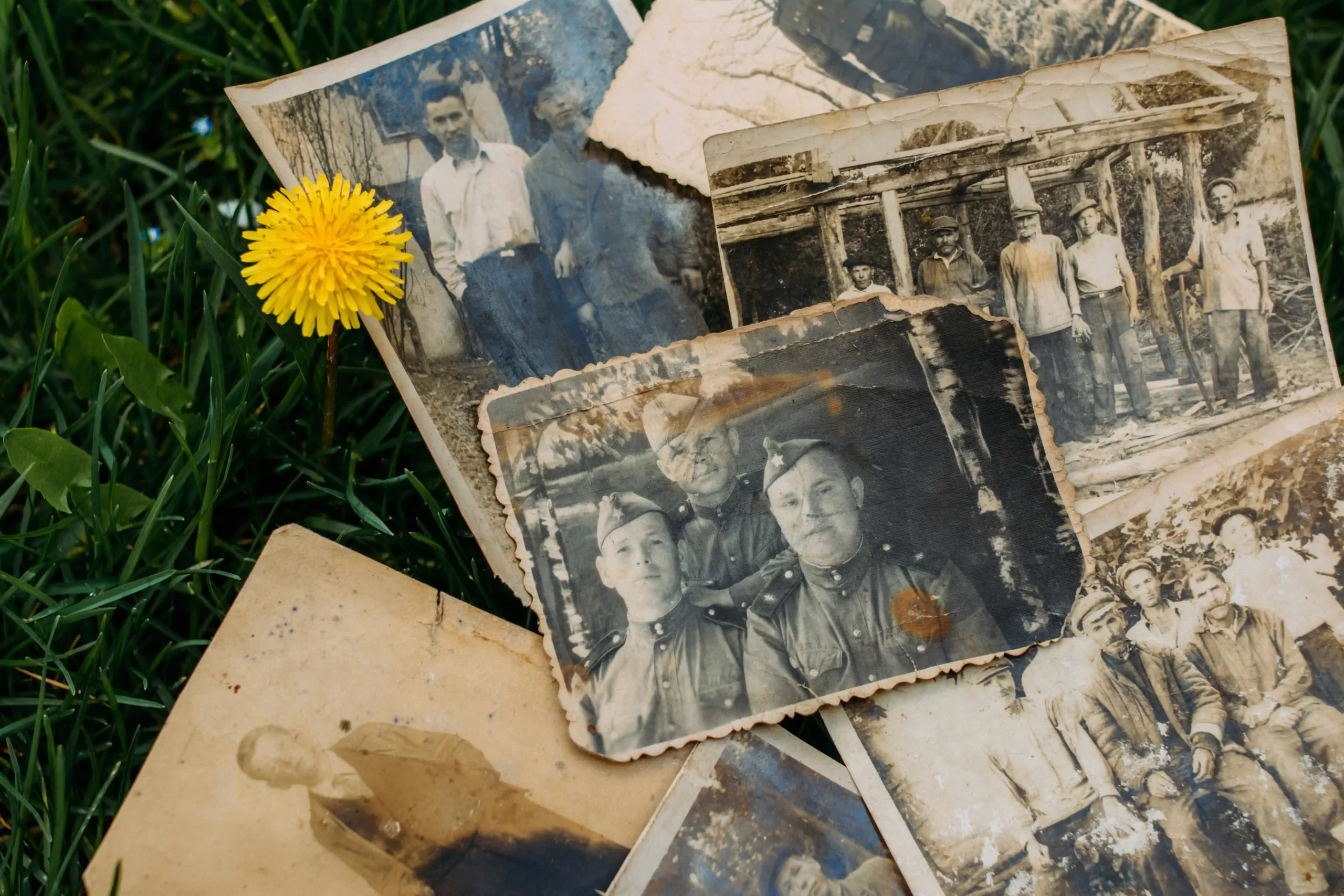
Digitizing an Inherited Photo Collection: What to Do When a Loved One Passes?
25
May
2026
10:42
am
Digitizing an Inherited Photo Collection: What to Do When a Loved One Passes? Written by:
Brandon Harris, Smooth Photo Scanning Services
You have inherited boxes of photos, tapes, slides, and film. Maybe it happened suddenly, or maybe you knew this moment was coming.
Either way, you are probably feeling a mix of grief, nostalgia, and quiet responsibility.
These are someone’s memories, and figuring out what to do with deceased parent photos or a grandparent’s entire visual history, while you are already grieving, is genuinely hard.
You do not have to do everything at once. You just need to know what to do first. And the most important thing is digitizing an inherited photo collection before the media deteriorates further, which is the single most critical step in preserving everything your loved one left behind.
What You’re Likely to Find in an Inherited Media Collection?
Most inherited collections are a mix of formats spanning decades. Do not be surprised to find inherited slides, negatives, film, and a wide range of other media alongside printed photos:
Loose printed photos of various sizes, possibly sorted, possibly not.
Photo albums from the 1940s to the 1990s, some with magnetic pages that damage photos over time.
35mm slides, possibly in carousels or plastic sleeves.
Film negatives in paper sleeves or rolled in canisters.
VHS, Betamax, or camcorder tapes from the 1970s through the 1990s.
8mm or Super 8 home movie reels.
Audio cassettes and reel-to-reel recordings.
Step 1: Don’t Throw Anything Away Yet
This is the single most important instruction in this guide. When people are overwhelmed by the volume of an inherited collection, the temptation is to discard what looks unimportant. Resist that completely.
That unlabeled film canister might contain the only existing footage of a family member who passed away decades ago. The loose photos that look like duplicates might include one that another branch of the family has never seen.
When you are figuring out how to organize estate photos, the rule is: sort, but do not discard. Set aside anything uncertain in a box marked ‘to review.’
Step 2: Do a Quick Condition Triage
Not all inherited media are in equal condition. A quick triage helps you identify what needs immediate attention.
Urgent:
Film or negatives with a vinegar smell, which is a sign of active chemical deterioration.
VHS or cassette tapes showing visible mold, warping, or damage.
Photos stuck together or showing active mold growth.
Can wait a few weeks:
Photos in reasonable condition are stored away from heat and moisture.
Photo albums that are intact and showing no active damage.
Slides and negatives in protective sleeves with no smell or visible deterioration.
Step 3: Involve Other Family Members Early
Before you digitize anything, loop in other relatives. This matters for a few reasons:
Other relatives may know who is in the photos and when they were taken, information that cannot be recovered once the people who remember are gone.
Some family members may want input on what happens to originals after digitizing.
Sharing the project across the family makes it less overwhelming for any one person to manage alone.
Step 4: Decide on a Digitizing Strategy
Figuring out how to digitize a parent photo collection or larger estate collection depends on its size and the mix of formats:
Small collections of under 100 photos, no tapes or film: A home flatbed scanner can handle basic print scanning if you have the patience.
Mixed collections with multiple formats: A professional service is the practical choice. Trying to DIY the digitizing of slides, 8mm film, and VHS tapes requires specialized equipment that most people do not own.
Large collections of hundreds or thousands of items: Professional bulk scanning is almost certainly the right call. The time and equipment required for a large DIY project are enormous, and the results typically do not match professional quality.
Step 5: Organize and Label as You Digitize
When you hand your collection to a professional service, some light organization beforehand makes a big difference in the final archive. Good organization is key to how to organize estate photos effectively:
Group photos by decade or event, and put each group in a labeled envelope or bag.
Label VHS tapes if they are not already labeled (masking tape and a marker work fine).
Write any known details on the back of the photos in pencil only. Never use a marker or a ballpoint, which can damage photo surfaces.
The professional service creates digital folders named after your labels, making the final archive much easier to navigate and share.
Step 6: Share With the Whole Family After Digitizing
Once your inherited collection has been digitized, sharing it completes the project.
Keeping thousands of scanned files on a single hard drive that only you can access defeats much of the purpose of digitizing an inherited photo collection in the first place.
Create a shared cloud album, send USB drives to other households, or host a family video call to go through the photos together.
Think of sharing the digitized collection as a way of honoring your loved one by making sure their memories reach everyone who cares about them.
How Smooth Photo Scanning Handles Inherited Collections?
Smooth Photo Scanning has extensive experience helping families inherit family photos digitize and preserve their loved one’s estate media collection. The team understands these are not just old photos and tapes. They are someone’s entire visual history.
The service handles all common formats, including loose photos, albums, 35mm slides, negatives, VHS tapes, Super 8 and 8mm film, and audio cassettes. All work is done in-house at the Lodi, NJ facility.
Nothing is outsourced overseas. Originals are always returned in the same condition they were received, and the deposit structure means you only pay the full balance once the project is complete.
For large or complex inherited collections, you can call or email the team directly to talk through the project before placing an order.
Get a Custom Quote for Your Inherited Collection
You do not have to figure this out alone. Smooth Photo Scanning specializes in inherited family photos and has helped thousands of families preserve what their loved ones left behind.
Whether you have two shoeboxes or a basement full of tapes, slides, and albums, we handle everything with care and return your originals. Get a custom quote today and take the first step toward preserving your loved one’s memories for everyone who comes after.
Every format, handled by hand
Prints, albums, slides, negatives and tapes – scanned and transferred in-house by our team in Lodi, NJ.
What should I do with the original photos after digitizing?
That is entirely your choice. Many families keep originals stored in acid-free boxes. Others distribute physical prints to family members who were closest to the deceased. Some donate historically significant items to a local historical society or archive.
How long does digitizing an inherited photo collection take?
It depends on the size and complexity of the collection. The turnaround at Smooth Photo Scanning is typically one to three weeks for small to medium sized projects. Large projects can take several months to complete. Contact the team for an estimate based on your specific order.
What if I find unlabeled film reels? Are they worth digitizing?
Yes. Unlabeled reels frequently contain family footage that was never labeled simply because nobody expected it to last this long. The only way to know what is on them is to have them transferred. The cost of finding out is almost always worth it.
Your wedding album is proof of one of the happiest days of your life, and it deserves better than a dusty shelf or a damp box in the basement. If you...
 5.0★ from 201 Google reviews