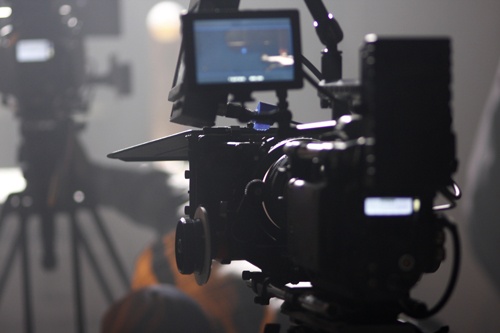
What to Expect When Converting Betacam or DigiBeta to Digital Files
26
August
2025
9:04
am
What to Expect When Converting Betacam or DigiBeta to Digital Files Written by:
Brandon Harris, Smooth Photo Scanning Services
Betacam, DigiBeta, and Betacam SP were once industry standards for professional video recording. If you worked in TV, production, or corporate media, you probably have shelves of tapes in these formats. But tapes degrade, playback decks disappear, and the time to act is now. Converting Betacam to digital files preserves your video before it’s too late—and saves you from dealing with unreliable equipment in the future.
Let’s walk through what to expect when using a video tape transfer service to digitize Betacam, DigiBeta, or Betacam SP tapes.
Understand the Format You Have
Before starting the Betacam to digital conversion, it’s helpful to know which type of tape you’re working with. Here’s a quick breakdown:
Betacam SP: Used heavily from the mid-80s through the 2000s, known for high-quality analog video.
DigiBeta (Digital Betacam): Digital version with even higher quality, commonly used in professional studios.
Betacam SX, MPEG IMX: Variants that require specific playback decks.
Each format requires the correct playback equipment, which is becoming increasingly rare and expensive to maintain. A professional tape to digital transfer company like Smooth Photo Scanning will already have these machines available and in working condition.
Tapes Will Be Assessed Before Transfer
When you send your tapes in, the first step is inspection. Tapes are checked for physical damage, mold, signal degradation, or playback issues. This step is key because older tapes—especially those stored in poor conditions—can suffer from:
If issues are found, the tapes may need to be cleaned or “baked” (a heat treatment used to temporarily restore degraded tapes). You’ll be notified before any additional work is done.
You’ll Choose a Digital Output Format
Once your tapes are ready for conversion, you’ll need to decide what kind of digital files you want. Common output formats include:
MP4: Ideal for general use and online sharing
MOV or AVI: Preferred for editing and archival purposes
ProRes: Often used in broadcast and film environments
File format depends on what you plan to do with the videos. For family archives or corporate libraries, MP4 usually offers the best combination of quality and file size.
Smooth Photo Scanning can help you choose the right format based on your goals, without overwhelming you with technical jargon.
The Betacam to Digital Transfer Process
Professional equipment is used to play the tapes in real time after everything has been prepared. The video signal is recorded to a digital file with low compression after being captured via a top-notch interface.
A betacam to digital transfer typically includes the following services:
Stabilizing: Lessening jitter or shakiness brought on by tape problems
Color correction: Changing the color balance and brightness
Audio leveling and sync: Resolving irregularities in volume
The end product is frequently cleaner, more consistent, and simpler to store or distribute, even though some problems cannot be completely fixed, particularly if the original tape is damaged.
Files Are Returned on Your Choice of Media
Your files will be saved and returned using the method of your choice following the transfer: USB drive, external hard drive, and cloud-based digital downloads.
Unless you specify otherwise, your original tapes are also returned. For a set period of time (typically 90 days), all digital copies are backed up in case you need a duplicate or lose access.
Benefits of Digital Files Over Tapes
The benefits start as soon as you convert your Betacam SP to digital format:
Simpler Access: Instantaneous file viewing, sharing, and editing on contemporary devices
Improved Preservation: You don’t have to worry about magnetic tape deteriorating or breaking.
No obsolete Equipment Needed: You don’t need to search for outdated decks or cables
File Backups: You can store multiple backups on drives, cloud platforms, or servers
It’s a wise investment to preserve video that frequently has sentimental, monetary, or historical significance.
Frequently Asked Questions
How long does it take?
Volume affects the typical turnaround time. It could take a week for a few tapes and several weeks for large collections.
Is editing included?
There may be some basic trimming and adjustments made. On request, more sophisticated editing can be set up.
Are tapes safe to ship?
Yes, particularly when working with a service like Smooth Photo Scanning. All orders are tracked, and two-way shipping is free for orders over $250.
Can I see the results before they are delivered?
Before completing the remainder of the batch, you can ask to review sample files.
Why Choose Smooth Photo Scanning?
Most people can’t convert old tapes on their own. To do it correctly, specific tools, technical expertise, and experience are required. Smooth Photo Scanning can help with that.
With Betacam to digital conversion, they have assisted thousands of customers, including families and media professionals, in keeping priceless memories. Nothing is outsourced abroad and everything is done internally in their secure U.S. facility. The group provides prompt service, reasonable prices, and process support.
Are You All Set to Convert Betacam Tapes?
Stop letting your DigiBeta or Betacam tapes accumulate dust. You can rely on Smooth Photo Scanning to manage your video tape transfer service with care and accuracy.
See how simple it is to update your legacy footage for the digital era by requesting a free estimate right now.
Get started with Smooth Photo Scanning.
Every format, handled by hand
Prints, albums, slides, negatives and tapes – scanned and transferred in-house by our team in Lodi, NJ.
Your wedding album is proof of one of the happiest days of your life, and it deserves better than a dusty shelf or a damp box in the basement. If you...
 5.0★ from 201 Google reviews