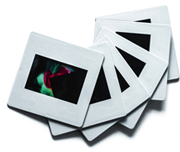
What’s the Best Format for Digitized Slides? JPEG vs. TIFF Explained
31
July
2025
10:14
am
What’s the Best Format for Digitized Slides? JPEG vs. TIFF Explained Written by:
Brandon Harris, Smooth Photo Scanning Services
Are you keeping boxes of old slides in storage? It is time to work on them before they worsen. Slide scanning services are increasingly sought by individuals and companies to save memories, pass down family history, or store valuable records.
The demand to convert slides to digital is increasing– and selecting the correct file format is critical. The big question is, should you go for JPEG or TIFF?
Both are strong in their own ways, depending on the intended usage of your digitized images.
This blog post sheds light on both forms so that you can determine what is effective with 35mm slides to digital service. If you want something to watch easily or quality editing, we will ensure you make the right decision.
Why is Format Important in Slide Digitization?
Slides are not pictures; they are instants. It could be a wedding picture, a family vacation in the 70s, or a professional collection, but the manner of digitization counts. File format is a major contributor to the appearance of those memories and their longevity.
Format selection influences clarity, color, sharpness, and future usability. Consider that when you wish to share your digitized slides on social media, you require something that can be easily seen and also load rapidly.
Whether you are doing a book or a restoration with lots of details, you require a format that retains all pixels. This is where dedicated equipment, such as a medium format slide scanning, comes in.
JPEG Format: Effective and Flexible
Most slides are sent to digital service providers using JPEG as the default format. It has a good compromise between file size and image quality.
JPG format ticks all the right boxes for the majority of users.
JPEGs are simple to open, simple to distribute, and can work with nearly all devices or platforms. Feel like sharing your converted pictures with your family through email? Put them on Facebook? Store them in your cloud? JPEG simplifies that. It is perfect for everyday use, and it is suitable for use on clients who wish to convert their 35mm slides to digital and/or stereo slides to be converted to digital so that they can enjoy them casually.
It is also less expensive and quicker to process since the file size is smaller. Although JPEG is a compressed format, the appearance is still quite good, usually more than sufficient to view, print, and even lightly edit.
JPEG is more than good enough in the case of most people using a slide scanning service. It is dependable, effective, and convenient.
TIFF Format: Uncompressed Image
TIFF is a beast of a different color. It is the format of choice for professionals, photographers, graphic designers, and archivists who require all the pieces of information that an image can reveal. TIFF files are not compressed, unlike JPEG. This implies that there is no loss of data and the picture is not down sampled.
Such a format is suitable for elaborating restoration works, high-quality printing, and color correction. TIFF is what you want when you have to zoom in and work pixel-by-pixel. It is the high end service that most slide scanning services will provide to those clients who have a real archival requirement.
However, TIFF files are large. They are slow to scan, consume more storage space, and cannot be easily emailed or read on mobile devices. This is the reason why most of the slides for digital services, such as Smooth Solutions, have a premium when it comes to TIFF scanning. It is more complex and time-consuming to process.
In short, TIFF is the right format when quality is everything and file size isn’t a concern.
JPEG vs. TIFF: An Overview
Format
Pros
Cons
JPEG
Small file size
Fast processing
Widely supported
Minor quality loss due to compression
TIFF
Full image quality
Ideal for editing
Archival-grade
Large file size
Slower scan time
Higher cost
In the case of most regular users, JPEG is a clear winner. It works everywhere, is fast, and looks great. JPEG is more than enough, in case you want to share memories, have fun with old family slides, or make simple prints.
However, when publishing a book, when performing deep restorations, or when storing images in a long term archive, TIFF might be worth the additional cost. Be aware of what you are getting yourself into.
A professional slide scanning service will offer various options. Smooth Photo Scanning scans to JPEG as standard, as it is practical, high quality, and excellent to share. We also scan to TIFF when requested, in case someone needs as much detail and flexibility in editing as possible.
Conclusion
When scanning 35mm slides or any old media, the correct format is important. JPEG files have good quality images, are small in size, are fast to process, and are ideal for viewing, sharing, and using everyday applications. The TIFF files are most suitable for professionals who require uncompressed and editable images, particularly in archival or restoration.
Whether you want to transfer 35mm slides to digital, convert stereo slides to digital, or scan with a medium format slide scanner, the format you select must be appropriate to your objectives. JPEG is effective and multifunctional. TIFF has the highest degree of detail and editing freedom, though you should be prepared to have bigger files.
Smooth Photo Scanning is the best place for digitizing 35mm slides, stereo slides, and other formats. Contact us to get started today.
Every format, handled by hand
Prints, albums, slides, negatives and tapes – scanned and transferred in-house by our team in Lodi, NJ.
Your wedding album is proof of one of the happiest days of your life, and it deserves better than a dusty shelf or a damp box in the basement. If you...
 5.0★ from 201 Google reviews